

















The short answer
Choose a mini projector around your room’s light, available lens position, desired picture size, and playback device. Then compare documented brightness, native resolution, connections, sound, and power. The best fit is a complete viewing setup you’ll enjoy using—not simply the largest screen-size claim on the box.
The sofa stays. Movie night gets a bigger picture.
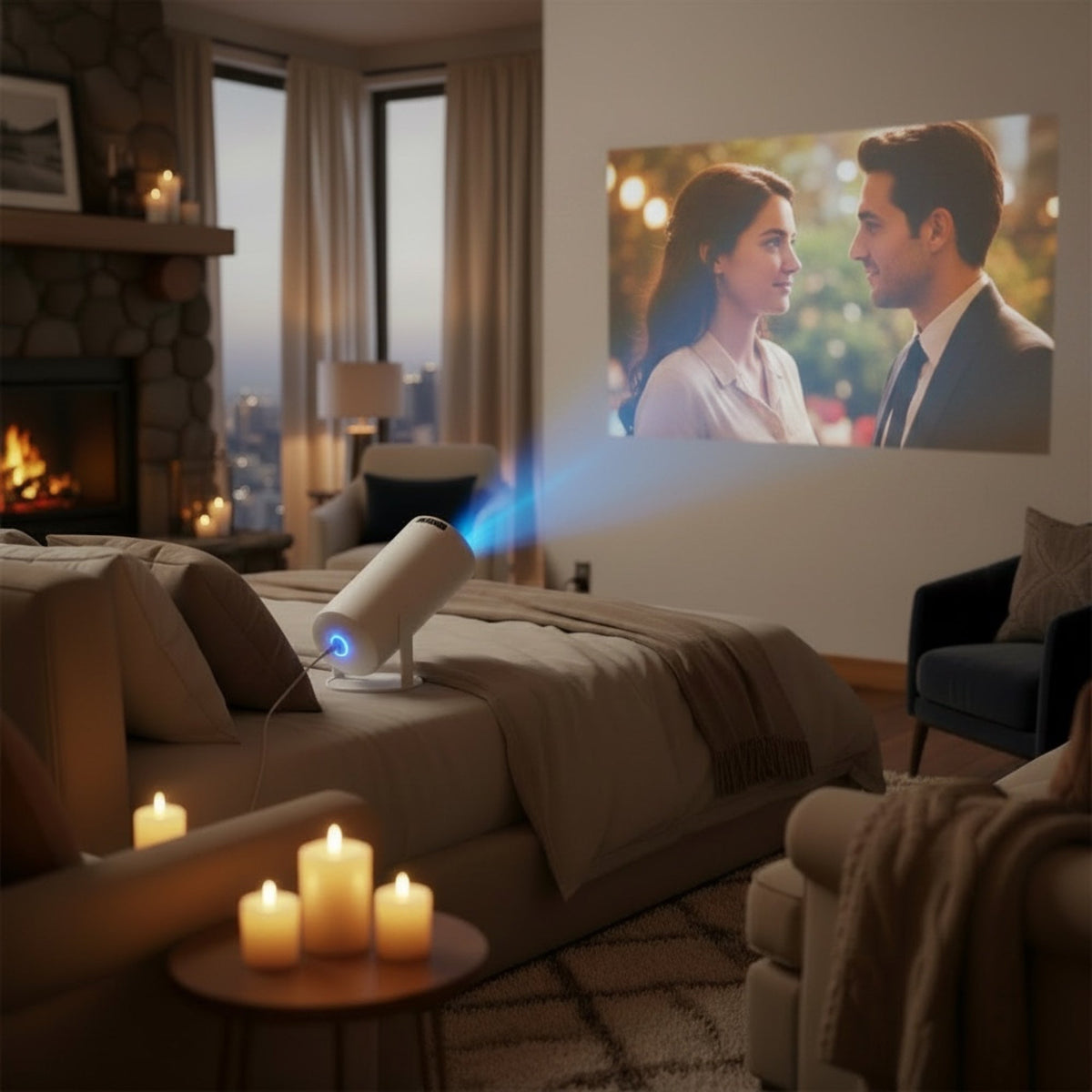
There’s something appealing about letting a familiar room become a movie room for the evening. The chairs are already comfortable. You know where the good blanket lives. A larger picture can make watching feel like an occasion without making the rest of the room stop being yours.
The useful purchase starts with a few ordinary details: the wall you can see comfortably, the light that reaches it, and the place the projector could sit. Those details matter more than an impressive photograph of a picture filling an entire wall.
If you’re considering our Portable Home Theater Projector, use this guide alongside its current product information. We’ll work through the room, the image, and the way you’ll press play.
For the wider approach to choosing useful additions for your home, start with our Home & Kitchen essentials guide.
Start With the Room You Actually Use
Choose for the room at viewing time. Its light, furniture, and usable picture surface determine what you need from the projector.
Picture the Room at Viewing Time
A bedroom after sunset and a living room on a bright afternoon are different viewing environments. Visit the room when you expect to watch. Notice the window beside the picture, the hallway light, and the lamp someone might leave on.
Ambient light falling on the picture can make dark scenes look less distinct. Think about the light you can comfortably control, rather than planning around a completely dark room you won’t actually create.
Your answer might be simple: evening viewing, curtains closed, one lamp away from the picture. Or you may want to watch while the room stays bright. Put that difference near the top of your comparison; it changes the equipment you should consider.
Start from the seat you enjoy. A large image is less inviting if you have to twist toward it or move the sofa every time.
Give the Picture a Suitable Surface
A clear wall can be a useful starting point, but its color, texture, and finish influence the image. Shelves, picture rails, and doorways also reduce the usable area. Measure the clear rectangle, not the entire wall.
A separate screen gives you a dedicated picture surface, with another footprint to accommodate. Include its frame or stand, setup space, and storage if it will be put away between uses.
Keep the room’s movements in the plan. Can someone reach the door without regularly crossing the picture? Is the equipment position clear of the route to the kitchen? These small decisions help the evening stay about the film.
Size the Picture Around the Lens Position
Picture size and lens distance work together. Use the exact model’s throw information to find out whether your preferred image fits the available position.
Understand Throw Ratio Without the Homework
Throw ratio describes the relationship between the distance from the lens to the picture surface and the width of the image. The basic planning formula is:
Lens-to-picture distance = image width × throw ratio.
For a hypothetical projector with a fixed throw ratio of 1.2:1, a picture 60 inches wide needs a lens distance of 72 inches, or 6 feet. That is an illustrative example, not a specification for Love Dug’s projector.
Notice that the formula uses width. Screen sizes are usually advertised by their diagonal measurement, taken from one corner to the opposite corner. A 60-inch-wide picture is not the same size as a 60-inch-diagonal picture.
A model-specific tool such as ProjectorCentral’s projection calculator can help when the exact projector is listed. Otherwise, use the manufacturer’s distance chart. A calculator for a similar-looking model cannot settle the placement for yours.
Also compare the model’s permitted image-size and focus ranges. Getting a number from the formula does not establish that every calculated size is supported.
Leave Room for the Projector, Too
The lens distance is not the same as the full equipment footprint. The case extends beyond the lens, plugs need room, and ventilation clearances come from the manual.
Compare the intended position with your table depth and the people using the room. A narrow shelf might provide the right distance while leaving too little room for connections or airflow.
Some projectors offer optical zoom, lens shift, or digital image adjustments. These do different jobs. Optical zoom changes image size through the lens; lens shift moves the image optically; digital keystone correction reshapes the picture electronically when the geometry needs correction.
Read which features the exact model provides. Correction tools can help with a suitable arrangement, but they do not remove the need for stable placement and required clearances.
Read Brightness and Resolution Separately
Brightness describes light output; resolution describes image detail. Neither number tells the whole story without the room, picture size, and operating conditions.
Brightness Needs Context
Look for light-output information with an identified measurement method, such as a stated ANSI or ISO measurement. An unexplained “lumens” or “LED lumens” figure is not enough for a reliable like-for-like comparison.
Keep the picture mode beside the number where that information is available. A maximum-output claim does not automatically describe the mode you’ll prefer for watching a film.
Image size matters, too. With the same light output, a larger picture spreads that light across a larger area. The maximum advertised picture size is therefore not automatically the most useful size for your room.
Epson’s projector buying guide provides background on brightness, resolution, and choosing for the intended setting. Use those distinctions to read the specifications—not as proof of another projector’s performance.
Rather than choosing a universal lumen target, compare the documented output with your intended picture size and light conditions. For a demonstration, look for a setup that resembles yours, with its lighting and image size explained.
What It Accepts Is Not Always What It Displays
Native resolution describes the pixel grid of the imaging panel or chip. Supported input resolution describes the signal the projector can receive. A projector can accept a higher-resolution signal and display it at a lower resolution.
That is why “4K supported” does not, by itself, mean native 4K. Some projection systems also use pixel shifting to create a higher-resolution displayed image. The documentation should explain how the particular model produces its picture.
Look beyond the headline to the details you’ll notice: subtitle readability, focus across the image, and visibility in darker scenes. Those are useful questions for a documented demonstration, not qualities to infer from a staged product photograph.
| Specification | What it describes | What to compare |
|---|---|---|
| Brightness | The documented light output. | Measurement method, picture mode, room light, and intended image size. |
| Native and displayed resolution | The imaging system’s pixel grid and how it forms the displayed picture. | Explicit specifications and any documented pixel-shifting method. |
| Supported input signal | The incoming video formats the projector can accept. | The output of your intended playback device. |
| Throw information | The relationship between picture size and lens distance. | Your available placement and the model’s supported image-size range. |
Choose Your Streaming Route Before Movie Night
Decide what will play the film before you choose the projector. A supported app, a connected playback device, and phone mirroring are different arrangements.
Start With the Device That Plays the Film
Write the setup as a short chain: playback device, connection, projector, and audio destination. This turns “Can I stream on it?” into a question with a specific answer.
For example, a compatible external streaming device might connect through an HDMI input, while a laptop might use a documented video output and adapter. Either arrangement needs the appropriate connections, supported signal, and power components.
If you prefer built-in apps, establish support for the actual service on the exact projector. A Wi-Fi feature describes a network connection; it does not establish that every streaming app is available or supported.
Netflix’s projector guidance distinguishes supported built-in playback from connecting another Netflix-supported device. For an external setup, the device, connection, and projector still need to work together.
Include any separate power adapter and required cable in your equipment list. An external device can be a useful route, but it is another component to place and put away. That is worth knowing before the popcorn is ready.
Treat Phone Mirroring as Its Own Question
Showing phone photos and playing protected streaming video are not necessarily the same capability. The phone, app, connection method, and receiving device all affect what works.
Apple’s AirPlay and screen-mirroring guidance notes that some video apps may not support AirPlay. For other phone platforms, use the corresponding official instructions and the service’s own compatibility information.
Choose the route you expect to use most. If it is a particular streaming service, start there rather than assuming a wireless feature will cover it. If it is personal photos or presentations, describe that use when comparing compatibility.
The convenient setup is the one that supports your actual content—not the one with the longest list of connection labels.
Make Space for Sound, Power, and the Reset
Compare the complete setup, including sound and storage. The size of the projector alone does not tell you how convenient the evening will be.
Think About What You Will Hear
Built-in speakers can simplify the equipment list if they suit your room and listening preferences. If you want to use a speaker you already own, establish the supported audio route. A Bluetooth label alone does not tell you whether the projector sends audio to an external speaker.
Equipment noise belongs in the placement decision as well. A projector beside the seating places its fan closer to the listener than one farther away. Compare any published noise information with its operating mode and measurement conditions.
For an available demonstration, pay attention to dialogue at a comfortable volume and whether the sound matches the picture. Music playing loudly over a product video tells you very little about either.
Plan Power and Ventilation Together
Portable does not necessarily mean battery-powered. Establish the exact power requirements for the projector and any connected playback device. A USB port may have a different purpose from powering the projector itself.
Use a stable surface permitted by the manual, leave the specified ventilation space, and keep the cable route out of the usual walking path. A soft blanket is for the viewer, not a substitute for an appropriate equipment surface.
The U.S. Fire Administration’s appliance and electrical guidance advises against overloading outlets. Resolve the power arrangement before choosing the final position.
Make Putting It Away Part of the Choice
For occasional viewing, picture the complete kit in storage: projector, remote, power components, cables, and any external playback device. Follow the model’s shutdown, cooling, and storage instructions.
Give the kit a nearby home that is easy to retrieve. A familiar setup is part of the pleasure of using it again; the remote should not need its own search party.
Turn Your Room Notes Into a Shortlist
Use five lines to connect the room to the product. Your notes should explain what the projector needs to do and where the complete setup will fit.
Write a Five-Line Buying Brief
- Viewing conditions: when you watch and the light that remains in the room.
- Picture and placement: the usable picture surface, intended size, and available lens position.
- Image information: documented brightness, resolution, and throw requirements.
- Playback and sound: your service or content, source device, connection, and audio route.
- Everyday handling: power, ventilation, setup, and storage for the complete kit.
Imagine an evening setup with curtains closed, a clear wall, and a table already facing it. Your shortlist would begin with whether a projector can form the intended picture from that table. Next comes the device that plays your film. The smallest case is a secondary benefit if those essentials fit.
For equipment that stays out, appearance and cable placement may carry more weight. The same five questions apply; your routine decides their order.
Bring the Brief to Love Dug
Explore Love Dug’s projector
Take your room notes to our Portable Home Theater Projector. Compare the current product information with the picture size, placement, and playback route you have in mind.
At Love Dug, we start with a useful place in everyday life. For a projector, that means choosing around the room you enjoy and the evening you want—not asking your furniture to accommodate a headline specification.
The aim is a considered addition: a clear purpose, a comfortable position, and a setup that makes sense when the film is over, too.
Mini Projector Questions
These common purchase questions depend on the exact model and complete viewing arrangement. Use them to finish your comparison.
Can a Mini Projector Work in a Small Bedroom?
Yes, when its throw requirements, supported picture size, light output, and placement requirements suit the room. “Mini” does not mean short-throw. Compare the available lens position before assuming a small case will produce the picture you want.
Do I Need a Projector Screen?
Not every setup needs a separate screen. A wall can be a starting point, but its color, texture, and finish affect the image. A dedicated screen adds its own size, positioning, and storage considerations.
Can I Watch Netflix on a Mini Projector?
It depends on the exact projector and playback route. Look for supported built-in playback or a compatible connection to a Netflix-supported device. Wi-Fi, a service logo, or general screen-mirroring capability is not enough to establish support.
Does Portable Mean Battery-Powered?
No. A portable projector may require an outlet. Read the power information for the exact model and include any external playback device in the plan. If a battery is provided, its documented runtime and operating conditions are separate considerations.
Is “4K Supported” the Same as Native 4K?
No. It may describe an accepted input signal rather than the imaging system’s native resolution. Read the native and displayed-resolution specifications, including any pixel-shifting explanation, to understand how the picture is produced.
Sources and Updates
This guide explains general selection principles. The room scenario and throw-ratio calculation are illustrative, not a tested Love Dug installation. The linked references do not verify the featured product’s specifications. Exact product instructions govern placement, connections, power, and care.
Streaming support and product information can change. Use the current documentation for the model, playback device, and service you intend to use.
A bigger picture. Still your room.
Keep the seat you like. Choose where the picture belongs. Then bring those decisions together with equipment that fits the evening.
Selected sources
Read more

One useful pair, or a layer under another? Compare glove liners and standalone gloves around your coat, the conditions, and the little tasks that make up an ordinary day.

A weekend bag, something for the table, and a comfortable drive. Pack around planned stops, arrival, and the space you’ll want for the trip home.